


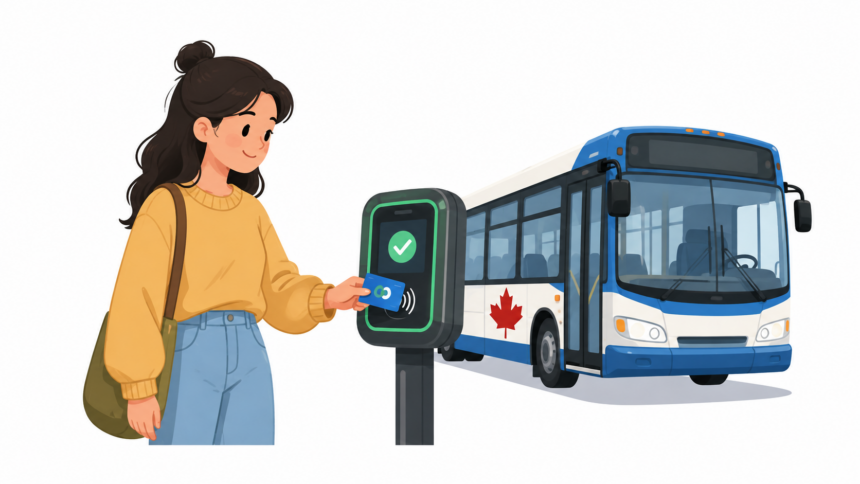
Buy a Winnipeg Transit e-pass online the night before your first bus ride and there’s a real chance it won’t actually work when you tap your card the next morning. Fares loaded through the website or over the phone can take up to 48 hours to activate, a detail Winnipeg Transit states plainly on its own loading portal but one that catches new peggo card users off guard constantly, usually at the worst possible moment, standing at a bus stop with a card that reads empty. To get a peggo card, buy one for $5 online, by phone through 311, at a Transit Customer Service Centre, or at a retail partner like 7-Eleven or Shoppers Drug Mart. Register it online for balance protection, then load e-cash or an e-pass through the same channels, keeping in mind that online and phone loads need up to 48 hours before they’re active on the card.
That timing detail alone is worth planning around, and the rest of what follows covers exactly how the whole system works, from your first purchase through what happens if the card ends up lost.
Buying Your First Card
A peggo card costs $5, a flat one-time fee separate from whatever fare you load onto it afterward. You have four ways to actually get one.
In person is the most immediate option. Transit Customer Service Centres, including the location at B-414 Osborne Street, sell cards directly, and you can start using it the same day once it’s loaded. Retail partner agents work the same way, including Winnipeg’s 7-Eleven and Shoppers Drug Mart locations along with other independent stores across the city that carry Transit products.
Buying online through Winnipeg Transit’s e-Fare portal or by calling 311 both work, but neither gets you a physical card immediately. A card purchased by phone gets mailed to you, arriving within 14 days, which makes phone orders a poor choice if you need to ride tomorrow. Buying online through the e-Fare system requires creating an account first, and it’s worth doing this step even if you plan to pick up the physical card in person, since having the account already set up makes registration and future loading faster.

The One Step That Actually Matters: Registering Your Card
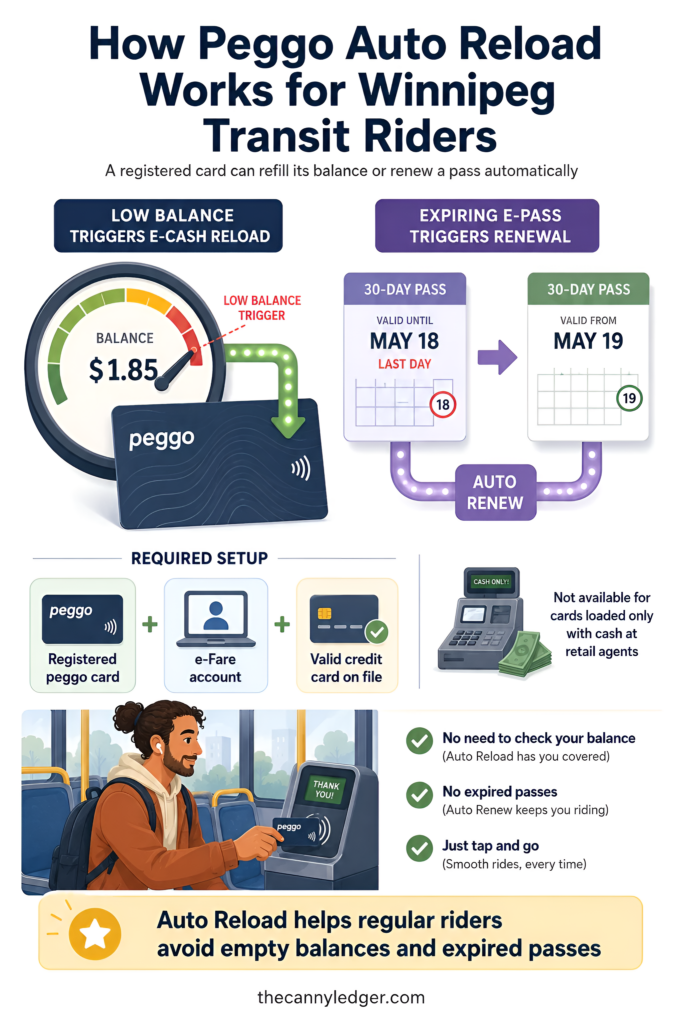
An unregistered peggo card works exactly like cash. If you lose it, whatever balance was loaded on it is simply gone, the same way a dropped $20 bill is gone. Registering the card changes that completely. A registered card’s balance is tied to your account rather than just the physical card, which means a lost, stolen, or damaged card can have its remaining value transferred to a replacement rather than disappearing with the old card.
Registration happens through the same e-Fare portal used for purchasing and loading, by calling 311, or in person at a Transit Customer Service Centre. It takes a few minutes and asks for basic contact information tied to the card’s serial number. Given that the entire point of switching from cash or paper tickets to peggo is convenience and reliability, riding around with an unregistered card undercuts a real part of what the system is actually offering you.
Loading Fares Onto Your Card
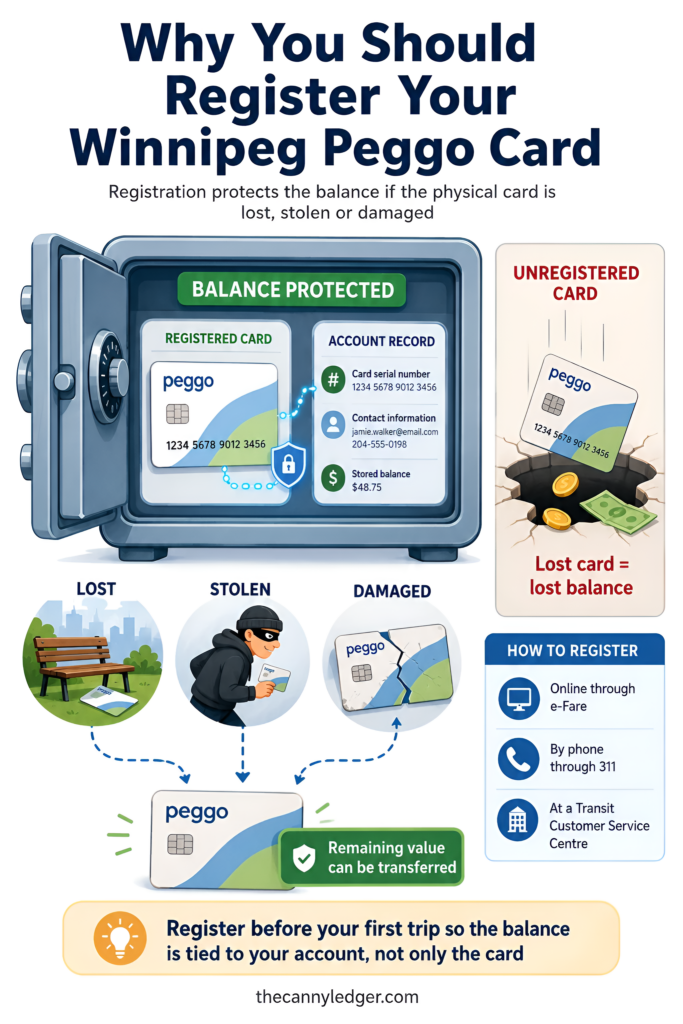
Once you have a card, you can load either e-cash or an e-pass onto it, and both work through the same three channels: online through e-Fare, by phone through 311, or in person at a Customer Service Centre or retail agent.
E-cash loads in fixed denominations of $5, $10, $15, $20, $30, and $50, combinable up to a maximum stored balance of $200 on the card at once. E-passes are unlimited-ride products valid for a set window, from a 24-hour pass through a full monthly pass, with pricing that varies by rider category. The full 2026 fare breakdown covers every price point for cash, e-cash, and every pass length in detail, since that’s a different question from the loading mechanics covered here.
The timing catch applies specifically to online and phone-based loads. Anything purchased or reloaded through e-Fare or 311 can take up to 48 hours before it’s active and usable on the physical card. Loading in person at a Customer Service Centre or retail agent doesn’t have this delay, since the fare gets applied directly to the card on the spot. If you need a pass working by tomorrow morning, buying it in person beats ordering it online the night before.
Auto Reload for Registered Cards
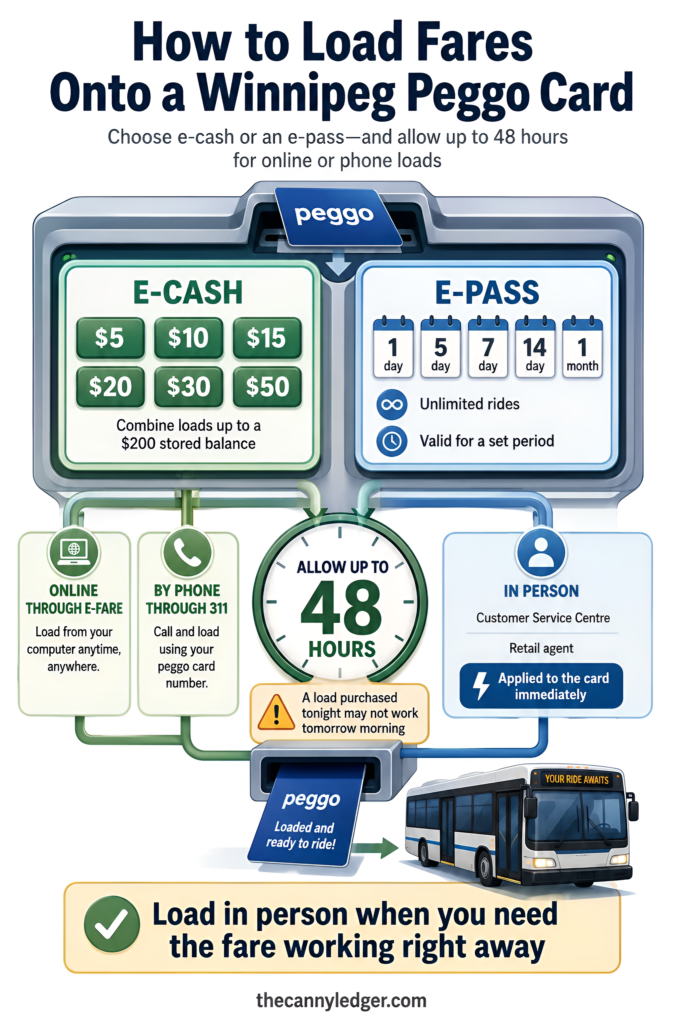
Registering your card unlocks one more genuinely useful feature: Auto Reload. Once set up, the system automatically adds a predetermined e-cash amount when your balance runs low, or automatically renews a new e-pass once your current one is about to expire, removing the need to track your balance or remember renewal dates yourself.
Auto Reload only works for fare products purchased through e-Fare with a valid credit card on file, so it’s not available for cards loaded exclusively through cash purchases at retail agents. For a regular commuter who rides daily and doesn’t want to think about their card balance, this is the single feature that makes the most difference day to day.
Using Your Card on the Bus
Using a loaded card is the simplest part of the whole process. Tap your card against the peggo reader on the farebox, wait for the beep, and board. If you need a transfer to continue your trip on a different route, the transfer is built into your tap automatically rather than requiring you to ask the driver for a paper slip. Transfers remain valid for 90 minutes and work in any direction, including a return trip, which matters if your errand involves more than a straight one-way ride.

If Your Card Is Lost, Stolen, or Damaged
This is where the registration decision from earlier pays off directly. If a registered card goes missing, you can report it as lost or stolen either by logging into your peggo account online and cancelling the card yourself, or by calling in to report it. Once reported, the remaining balance on the old card can be transferred to a new one rather than being lost outright.
A replacement card carries its own $5 fee, the same cost as buying a card the first time, whether the original was lost, stolen, or physically damaged beyond use. An unregistered card offers none of this. If it’s gone, whatever balance was on it is gone with it, with no way to recover or transfer it, which is really the entire argument for spending the few minutes it takes to register in the first place.

Special Card Types Worth Knowing About
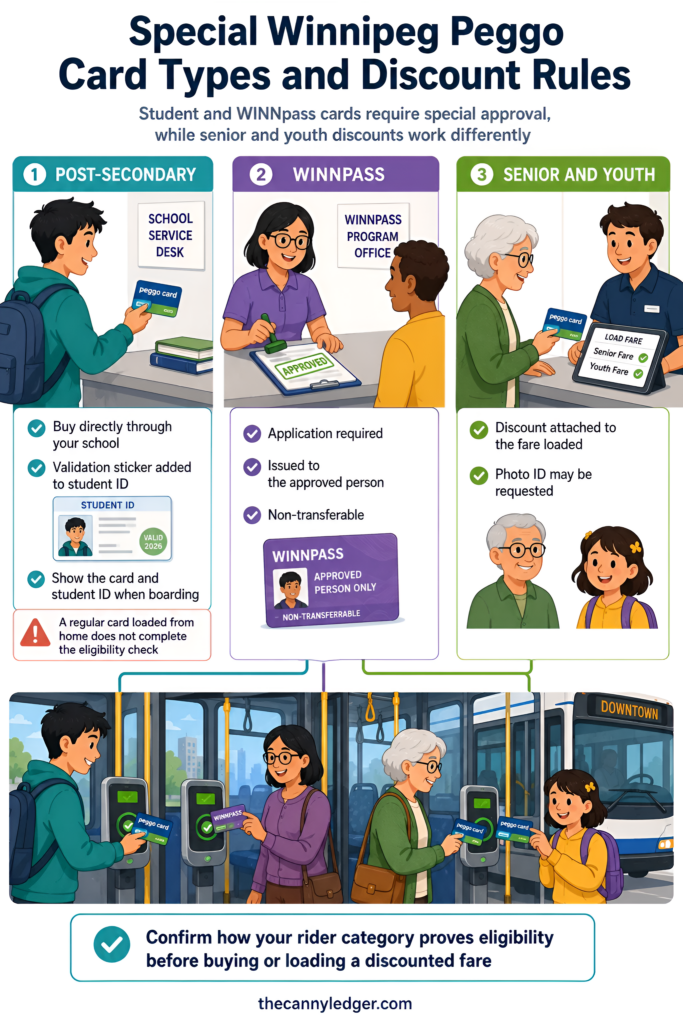
Not every peggo card works the same way. Post-secondary cards must be purchased directly at your school rather than online or at a retail agent, and staff attach a validation sticker to your physical student ID at the point of sale, which you then need to show alongside the card when boarding. A regular card loaded with post-secondary fares from home won’t work, since the eligibility check happens in person at the institution itself, a process worth knowing about if you’re heading into student life in Winnipeg and assumed you could just buy the discount online.
WINNpass cards, Winnipeg’s low-income transit discount program, work similarly to a standard card for loading and using, but the card itself is only issued after an approved application, and it’s registered specifically to that individual, non-transferable by design. Senior and youth cards don’t require a separate physical card type the way post-secondary and WINNpass do; the discount applies based on the fare loaded rather than a distinct card colour or type, though photo ID may still be requested to confirm eligibility when boarding.
What to Actually Do Next
Buy your first card in person if you can, either at a Transit Customer Service Centre or a retail partner like 7-Eleven or Shoppers Drug Mart, since that avoids both the mail delay from phone orders and the 48-hour activation wait from online purchases. Register it the same day you get it, before you’ve had a chance to lose it, since registration only protects you going forward from the moment you set it up. And if you’re commuting regularly, set up Auto Reload once you’re registered, so a low balance or an expiring pass never catches you off guard at the farebox.
If you’re still getting oriented with the system more broadly, the Winnipeg Transit guide covers how routes and scheduling actually work once your card is sorted, and Navigo is worth bookmarking for planning your first few trips.

Frequently Asked Questions
Can I use my peggo card immediately after buying it at a retail store like 7-Eleven? Yes, as long as you load a fare onto it at the same time. In-person purchases and loads don’t carry the 48-hour delay that applies to online and phone orders.
Do I need to register my peggo card to use it at all? No, an unregistered card works fine for everyday tapping and riding. Registration is only required to unlock balance protection and Auto Reload, not basic use.
What happens to my e-pass if I report my card lost partway through the pass period? If your card was registered, the remaining value, including unused time on an active e-pass, transfers to your replacement card once the lost card is cancelled and reported.